How I vibe-code
A short description of my ever-evolving vibe-coding setup.
There was an interesting post on Hacker News recently: What’s your current AI agentic setup? I posted a short reply there, but I was thinking to maybe post a slightly longer version on my blog as well.
Isolation#
Some time ago, I wrote how I isolate claude code.
Since then, Claude Code became much more reliable and is less likely to rm -rf /.
But it’s still a machine, and it still is unpredictable at times.
And with CVEs being published every Monday and Friday, I prefer not to risk the only laptop that helps me earn a living.
In my previous post I described how I use vagrant with VirtualBox VMs.
But Vagrant is outdated and slow.
I would often run into file watching issues with the mounts, which would require me to restart the VM every few days.
Therefor, I have moved to use Lima VM.
It supports file sharing and port forwarding, so I can keep editing the code on my machine and mount it as writable volume to the VM.
There is no built-in way to restrict traffic, but I never really cared about this.
For secrets and API keys I use agent-vault which acts as a proxy and injects the values, so agents never see them.
AI Subscriptions and local LLMs#
I use only Claude code. Employer pays for work subscription, I pay for a personal one for my projects.
I would very much like to buy some hardware to try local LLMs, but I’m still saving money for it. In addition to that, it would be fun to move all development to a beefy server at home behind a VPN. I noticed that my MacBooks’ battery is dying much faster with everything running locally, and sometimes the laptop gets’ too hot to comfortably work on. So by having a beefy server that I can ssh into from anywhere, I could just keep the agent running there 24/7. But today, I rely on Amphetamine which helps my Mac not to fall asleep and kill my agents.
Harness and Interface#
For harness, I only use Claude Code in the CLI. In general, I try to avoid downloading specialized applications, and try to use either Firefox or the terminal.
Every project I work on, whether it’s personal or work, is set up with git worktrees. There are hooks for the worktree to be able to bring up the entire app stack without port conflicts and with its own database. This allows agents to run in parallel without polluting each other’s environment or database.
For interface, there is a split.
At work, I use herdr inside LimaVM, because I can have 5 to 7 worktrees in parallel.
herdr allows me to have an overview of all the agents, who needs my attention and who is done.
For my own projects, I use tmux with a bunch of custom scripts.
I have a tmux bind for a script that opens a new session with a specific work directory.
I press <prefix> P, and I get a fzf search for a directory I want to create a tmux session in.
From there, nvim gives me the editor (and auto session plugin restores the previous session and open files), and limactl shell <name> drops me into the VM shell.
The shell command does not have to run from the directory, as lima stores each VM configuration in the home directory, but I like to keep everything related to one project in a specific session.
From there, I can <prefix> c to open additional windows in the same working directory and launch more tools (be it ngrok, stripe webhook listener, or the application code).
With the help of Claude I have made a pass-through script that allows Claude Code instances inside the VM to report their status back to tmux on the host machine.
And from there, I was able to add their status to the status-bar of tmux.

In addition to that, I get notifications for when a window finishes its work.
If I’m in the terminal, I get a tmux floating window notification, and if I’m not in the terminal I get a macOS notification.
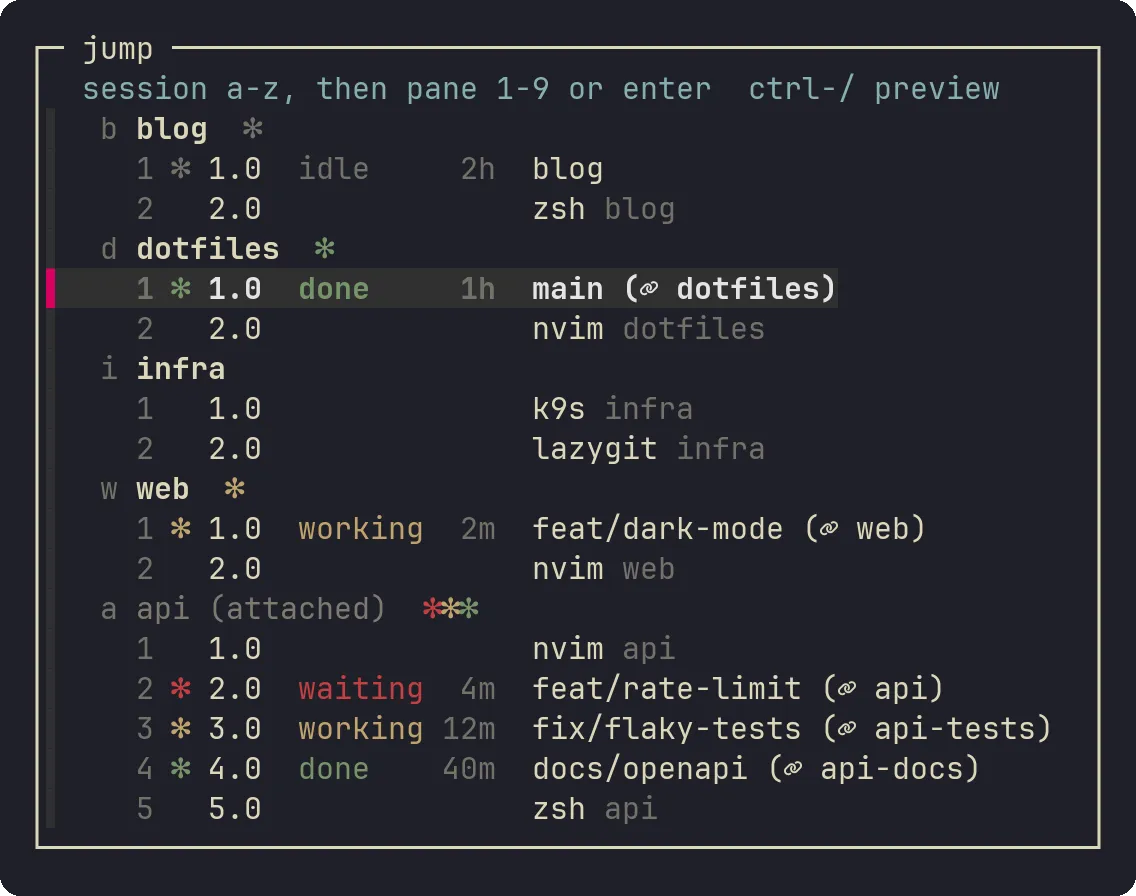
I also have <prefix> j to jump to a session.
It used to open a fzf window with all the tmux sessions, but again, Claude code made changes to it and now I can see all the sessions and their windows, and which one’s need my attention.
There is even a small quality-of-life improvements like automatically focusing on the latests session that needs input or has finished.
There are many different interfaces today, but I feel like most of them are short-lived, and might get abandoned.
I said in my previous article how I think that developer oriented software is dying.
I mean, why would I use your vibe-coded mess if I can use mine and let Claude improve it?
So all these new and fancy tools like conductor or paseo, or whatever — are not really appealing to me.
The only exception is herdr, which I settled on some time ago for my work, and too lazy to replace (but might eventually).
Editing and reviewing code#
I spent way too much time to perfect my Neovim skills and setup.
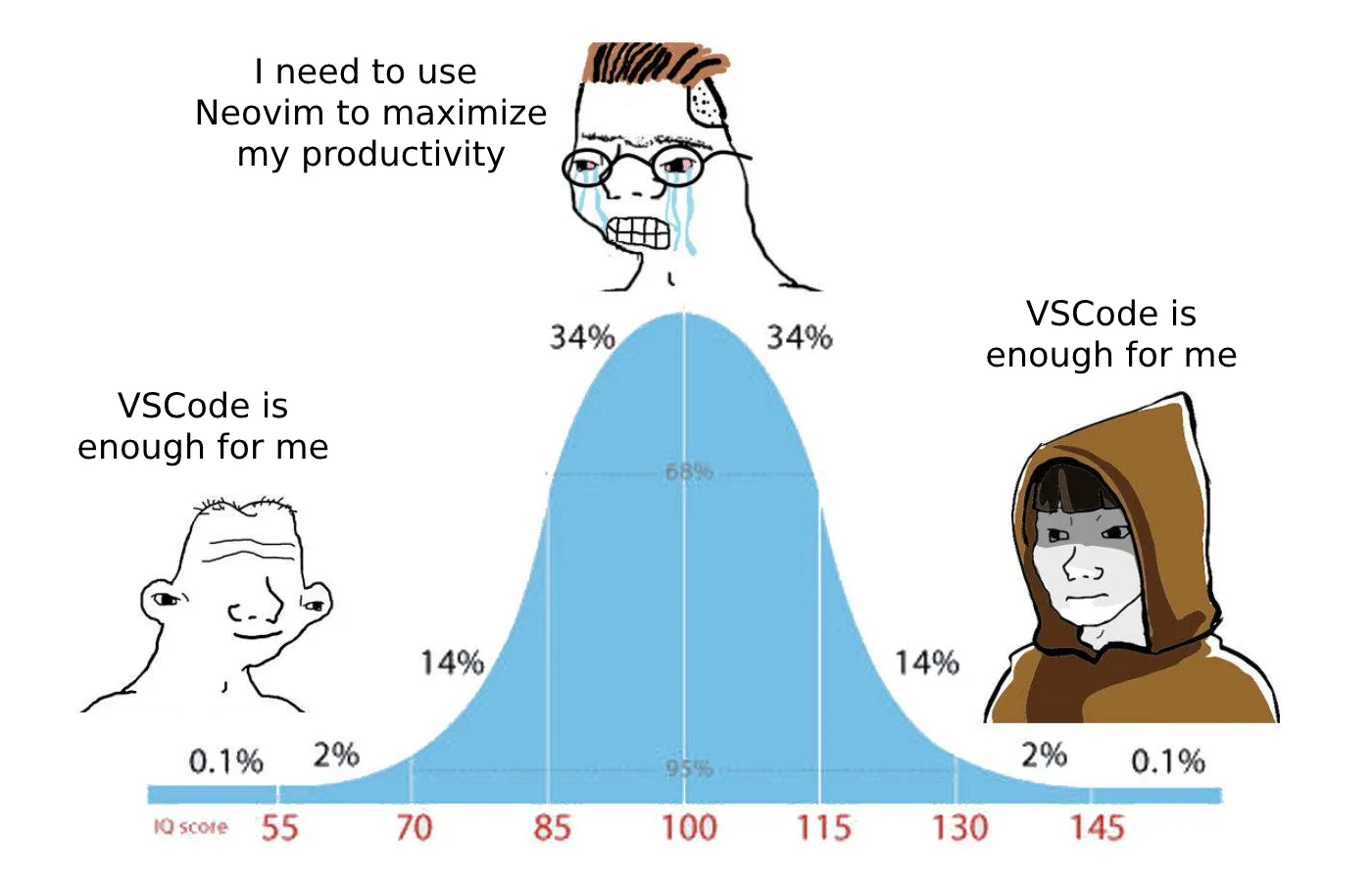
But unfortunately, I don’t use it so much anymore for code editing. I still write this blog, by hand, and do my finances with plain text accounting while using Neovim. But for coding, I rarely edit code by hand, unless it’s something small that would be faster than asking an agent to do.
I do, however, still review my code (sometimes).
I either use a web PR interface (mostly Forgejo today, since GitHub turned into shit) or I found a nice CLI tool called tuicr1 which gives you PR like interface in the terminal, and you can even leave comments there which you would then copy back into Claude.
Skills, integrations, and assistant platforms#
I rarely use any skills. I feel like Claude code today is good at picking up the correct tools when you write good prompts (more on that later). But in general, skills feel to me a bit like productivity for the sake of productivity. It reminds me of all the people who would craft the perfect Notion template and claim that it’s the ultimate tool for productive engineers, so just subscribe to their channel/blog/email list, and you can also become productive. I just prefer to ship stuff instead of investing my time into the latest fad.
For integrations, I use a few MCPs mostly Sentry and Google Search Console.
Sentry is very helpful as the agent can look into the issue and the code at the same time.
And I recently noticed that Claude code can set up reminders (based on cron from what I saw), so I can do things like “I just deployed a fix for FE-001, can you remind me to check it in 24 hours and see if there are no regressions?”
I never used any assistant platforms like OpenClaw or Dots/Duet. I feel like they are too powerful, and I won’t be able to control them properly. Once I will get a beefy server, I would like to experiment with running assistants based on local models for simple stuff like upgrading the dependencies of my projects.
Prompting#
Lastly, I want to talk about prompting. Everyone thinks that they are a prompt-genius, but from using Claude code for the past year, I think prompting is way more important than people think. Moreover, despite what everyone tells you, prompting requires contextual knowledge of software engineering.
Sure, Claude is very good at writing code that seems to work from the first try. But after reviewing code written by Claude or arguing against the decisions it makes, I noticed that knowledge is still required. It creates a paradox where knowledge mostly comes from building systems, but if you just prompt an agent you barely build a system, but rather accept the proposed solution. And it’s very easy to just hit enter on any proposed solution, and to be honest, at the end of the day, after a full day of context switching between 7 different features and bug fixes, everyone is likely to just slip and accepted the proposed solution. I don’t yet know how are we going to get better in software engineering in the near future. In my previous article I predicted the emerging of “mind gyms” — a place, like a physical gym, to buff up your mind abilities.
As for prompting, long detailed prompts worked the best for me. It’s not uncommon for me to write short blog-like prompts that describe the feature I want to develop. I would concentrate on the details, but not too much on the coding if it does not matter. I don’t try to direct the agent towards specific coding patterns or architecture, but I do instruct the agent to pick particular infrastructure components or solutions. And if I don’t know something, I ask the agent to compare between various options and explain them to me.
At the same time, I also try to focus on the overall product feeling and features. As a developer, I used to not care much about design or usability, because there would be a PM or a designer to handle these. But now, in order to keep my edge I need to think like my users: what would they want, how would they use the app, and instruct the agent to do that.
I often ask the agent to generate mockups for me to review and decide on a design or layout. Most visual features I ask to take screenshots so I can iterate over them further. And it’s very helpful to see various options and design suggestions for someone who is not a designer. That’s the difference between “oh great, another claude-like website”, and designs that hard to tell if they were vibe-coded. This process takes a lot of time, but often it leads to better results in my opinion.
I find that it’s very easy to make something with LLMs, but it’s hard to make something good. As a developer I used to obsess about code and architecture, and I feel like if I want to stay relevant, and improve further, I need to learn how to build products and not necessarily write code. This obviously pushes me outside my comfort zone, but hey, this is where growth happens. At least that’s what they say.
If I can give you one piece of advice is try to build things for yourself. I see a lot of people on Reddit publish vibe-coded abandonware. The problem with open source abandonware is that you will most likely lose motivation to maintain it, because you probably expected a bunch of people to use it and be excited, but it turned out that everyone has their own version of this already.
For the past few months I built things for myself.
All the Claude integration with tmux and notifications, the vibe-coded personal finance app, a bunch of various helper scripts that scaffold an article for my blog, etc.
Basically, every time I find myself annoyed by something in my workflow, I open a new VM with Claude and ask it to fix it.
None of it is open source (and won’t be).
I just solved my problems and built tools where I am the customer.
This helps me understand how to build products that solve a real pain point, as opposed to simply write code for the sake of writing code.
I don’t say the latter is bad, especially if you enjoy it, but I just say that there is no moat in it anymore.
This is how I vibe-code, at least as of November 2026. Who knows, maybe in December it all will change.